
Custom CSS
WARNING
Note: This feature is still experimental, and the software interface structure may change in the future, which may cause some custom CSS to fail.
Introduction
Custom CSS is a method that allows you to customize the software interface. You can use it to modify the font, color, background, border style, etc. of the software. Basically, the visible parts of the interface can be customized by CSS. You may need some knowledge of CSS to use this feature.
Add and edit custom CSS in Settings → Advanced → Custom CSS, as shown below:
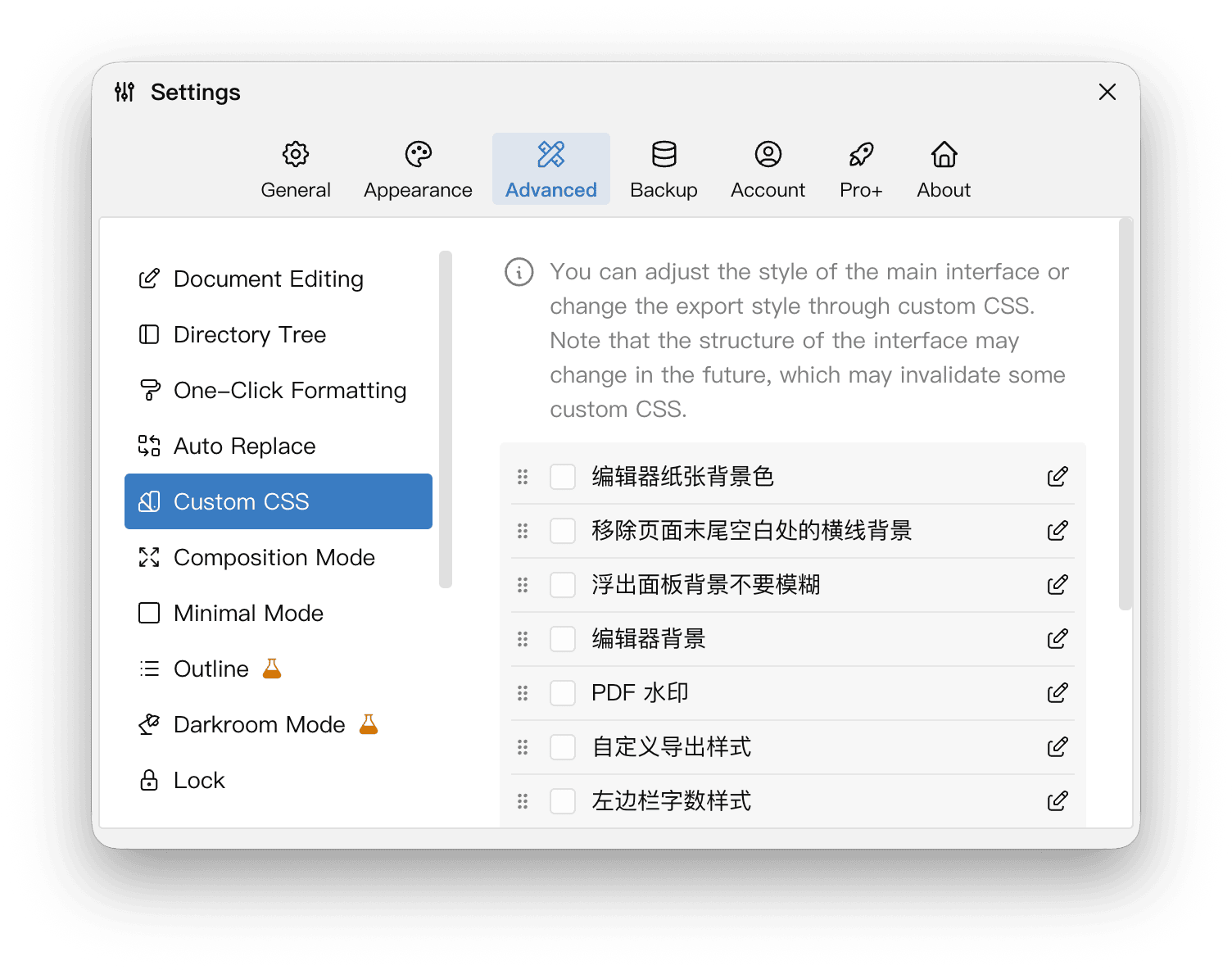
You can set up multiple custom CSS schemes and enable the ones you want. Custom CSS will override the default styles of the software, so the order of the scheme sometimes affects the final effect. You can drag and drop the order of the scheme to adjust the appearance order of the corresponding CSS.
If you modify the content of a CSS scheme, you need to check it in the checkbox in the list above to make it take effect. If it is already checked, it may need to be unchecked and re-checked, otherwise it may not take effect in time.
Example: Modify the background color of the left panel
Here is a simple example:
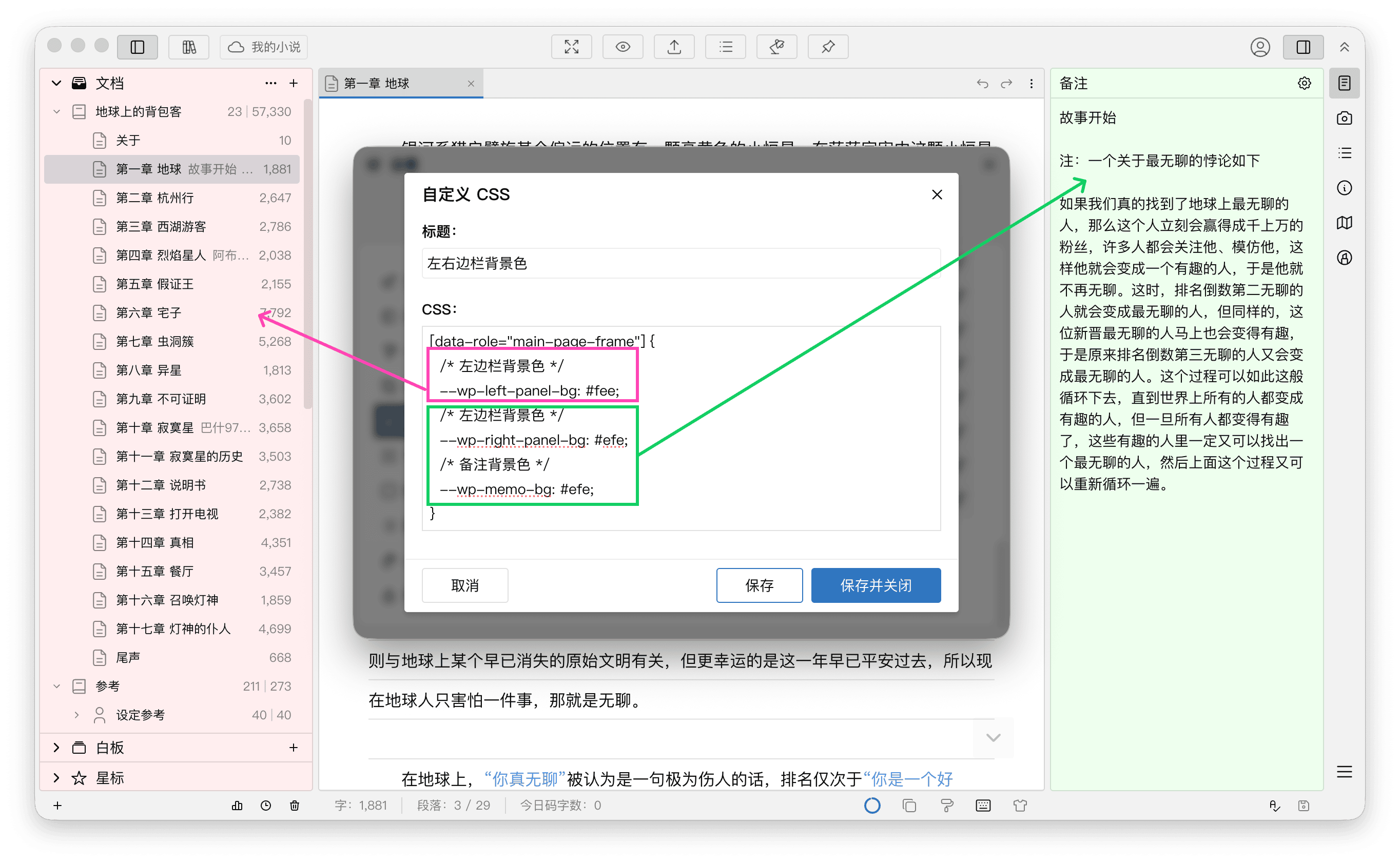
In this example, the entered CSS code is as follows:
[data-role="main-page-frame"] {
  /* background color for left panel */
  --wp-left-panel-bg: #fee;
  /* background color for right panel */
  --wp-right-panel-bg: #efe;
  /* background color for memo */
  --wp-memo-bg: #efe;
}
This CSS code will change the background color of the left sidebar of the software to light red, and the background color of the right sidebar and notes to light green.
Where #root is the root node of the application, and --wp-frame-left-bg-color is the CSS variable of the background color of the left panel. You can find the available CSS variables and their default values at Built-in Theme Styles.
More
You can open the developer tools to view more information about the interface. It should be noted that the structure, XPaths, classNames, etc. of the interface may change in subsequent versions, so try not to rely on these information when customizing CSS. Relatively speaking, the id, data-* attributes are more stable, so it is recommended to use these attributes as much as possible to locate elements.
See the Custom CSS page in the WonderPen Wiki for more examples.