
Math Formulas
WonderPen uses LaTeX math syntax for fractions, roots, equations, and other notation. A formula block stands on its own, making it suitable for equations and longer derivations. An inline formula sits within a sentence and works well for variables or short expressions.
Type $ in the document to open a menu with Insert inline formula and Insert block formula. You can also select an option with the up and down arrow keys and press Enter to confirm. To keep a literal dollar sign, press Esc to dismiss the menu.
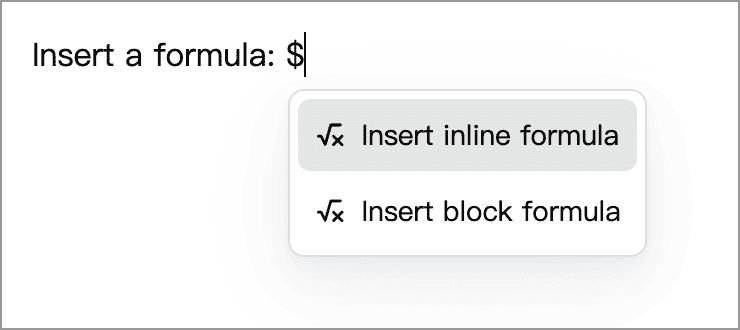
Formula Blocks
- Type
$$where you want the formula and choose Insert block formula. You can also choose the math formula item in the Quick Input Menu. - Type or paste LaTeX formula source into the formula editor, without surrounding
$or$$delimiters. - Click in the document outside the formula to see the rendered result.
In an empty paragraph, the formula block replaces that paragraph. If the paragraph already contains text, the block is inserted below it.
For example, this is the quadratic formula, where a is nonzero:
x = \frac{-b \pm \sqrt{b^2 - 4ac}}{2a}The formula editor shows the source as you type. The light gray $$ markers above and below it are displayed by the app; you do not need to type them.
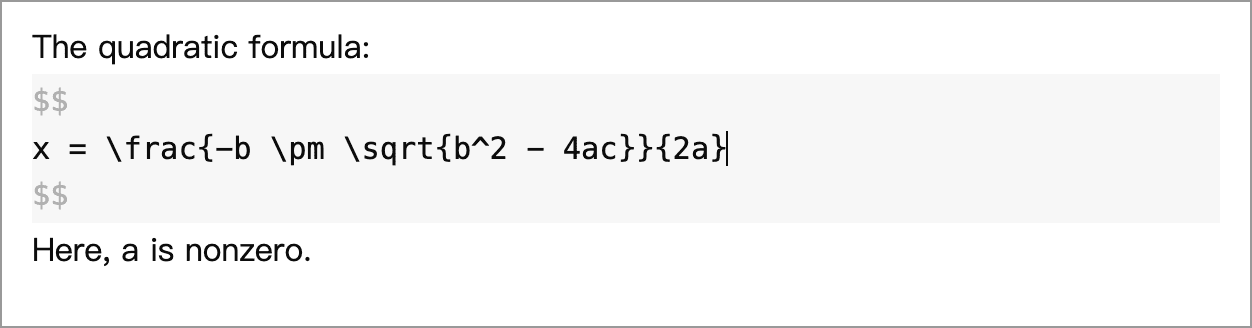
Click in the document outside the formula to see the rendered result:

Multiline Formulas and Alignment
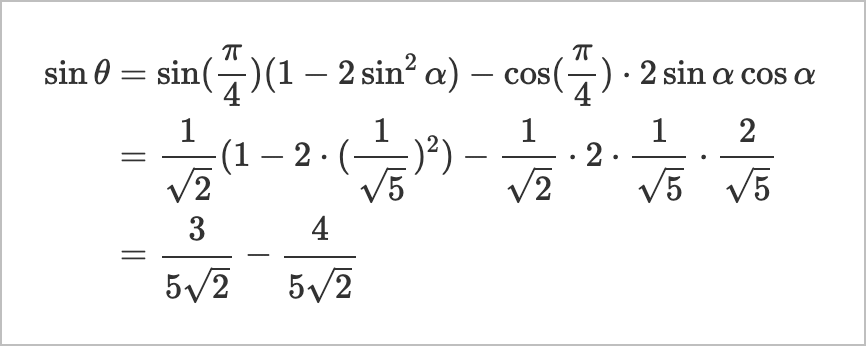
Use an aligned environment for formulas on multiple lines. The & marks alignment points and \\ starts a new line in the rendered formula. Simply pressing Enter to split the source into lines does not produce the same layout.
\begin {aligned}
\sin \theta &= \sin(\frac{\pi}{4})(1 - 2\sin^2\alpha) - \cos(\frac{\pi}{4}) \cdot 2\sin \alpha \cos \alpha\\
&=\frac{1}{\sqrt{2}}(1 - 2\cdot(\frac{1}{\sqrt{5}})^2) - \frac{1}{\sqrt{2}} \cdot 2 \cdot \frac{1}{\sqrt{5}} \cdot \frac{2}{\sqrt{5}}\\
&= \frac{3}{5\sqrt{2}} - \frac{4}{5\sqrt{2}}
\end {aligned}
This example aligns the equals signs across the steps of a derivation:
Inline Formulas
- Place the cursor where you want the formula within a sentence, type
$, and choose Insert inline formula. - Enter the formula source, such as
\left( \frac{n^2}{6} \right). - At the end of the source, press the right arrow key to move past the formula and continue writing. You can also click in the document outside the formula to finish editing.
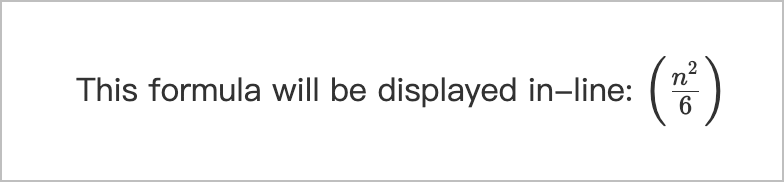
Edit an Existing Formula
Click a block or inline formula to open its source for editing. After making changes, click in the document outside the formula to see the updated result. You can also move to the end of the source and press the right arrow key to leave the formula editor.
Formula Source and Markdown Delimiters
Markdown formats that support math commonly use $formula$ for inline formulas and $$ on separate lines around formula blocks. Inside WonderPen's formula editor, enter only the formula source. Omit these outer delimiters and any code-fence backticks.
Common Syntax
These examples work in both formula blocks and inline formulas:
| Purpose | Source | Meaning |
|---|---|---|
| Fraction | \frac{a}{b} | a divided by b |
| Square root | \sqrt{x} | The square root of x |
| Superscript | x^{12} | x to the power of 12 |
| Subscript | a_{ij} | a with subscript ij |
| Greek letters | \alpha + \beta | α plus β |
| Summation | \sum_{i=1}^{n} i | Sum i from 1 to n |
Commands begin with a backslash \, and braces {} group content. For example, x^12 makes only 1 a superscript. Use x^{12} to put the entire 12 in the superscript.
Rendering Engine
The desktop app includes KaTeX for rendering formulas. You do not need to install LaTeX separately or select a rendering engine.
WonderPen supports math notation, rather than compiling complete LaTeX documents. Enter the formula itself, without document structure such as \documentclass or \begin{document}. Available commands depend on the KaTeX version bundled with the app; some recent additions in the reference pages may not yet be supported.
Troubleshooting Formulas
- The formula still appears as source: Click in the document outside the formula to leave editing mode. Also check that you have not entered the source in a regular paragraph or code block.
- An error appears or the formula does not render correctly: Check command spelling and matching braces. Use standard backslashes and braces rather than full-width variants. Remove any outer
$or$$delimiters, and check the references below for command support. - The formula is too long or line breaks do not work: Use a formula block for longer expressions. For multiple lines, use an
alignedenvironment with\\, as shown above, rather than relying on line breaks in the source.
References
- KaTeX supported functions: Find commands grouped by purpose.
- KaTeX support table: Look up commands alphabetically and check their support status.